Business Central Invoice Import:
Skip the Manual Data Entry
Your AP team has better things to do!
Import purchase invoices and credit memos from Excel in one go, right inside BC
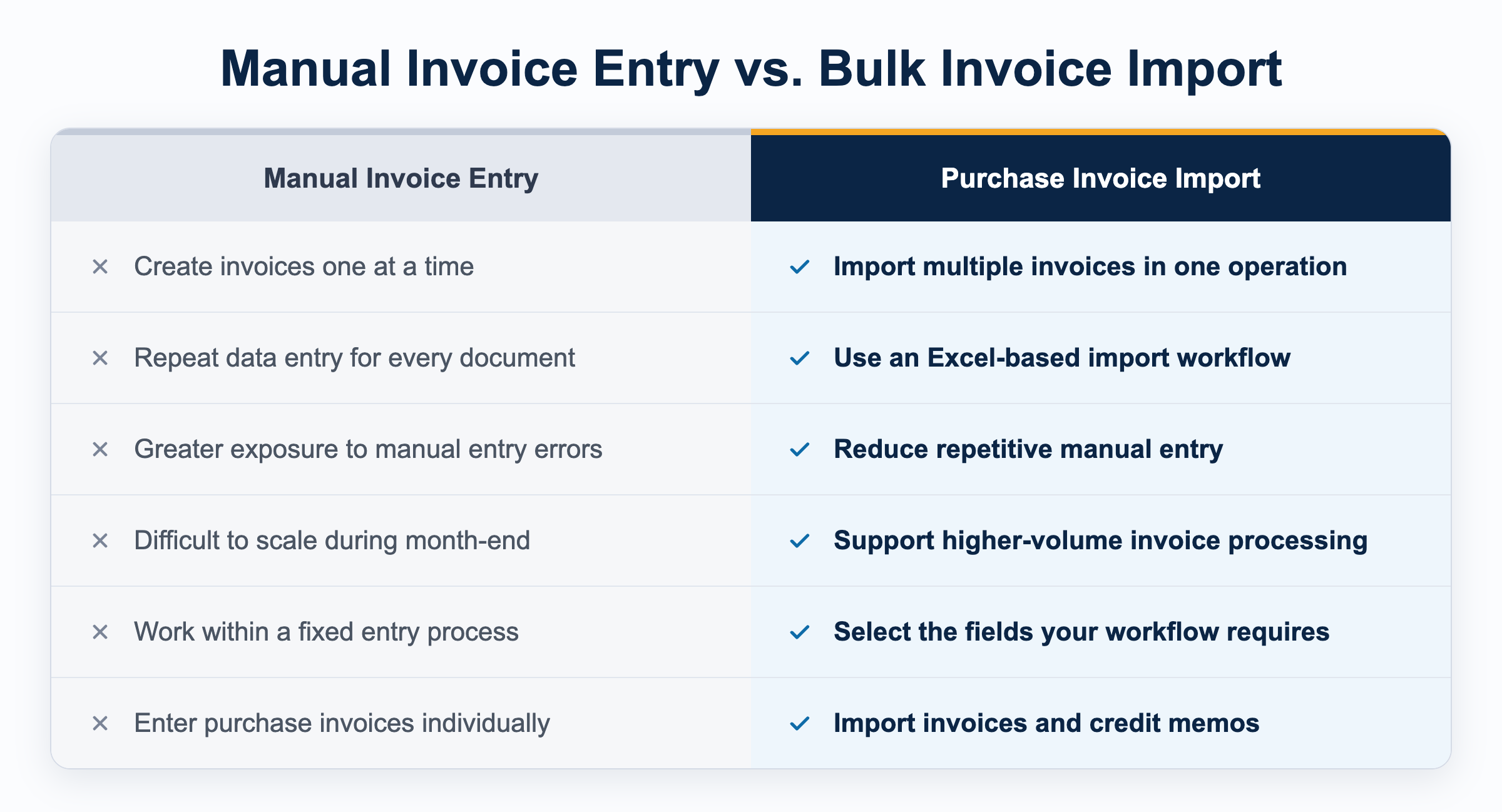
How Does Invoice Import Work?
Microsoft Dynamics 365 Business Central gives finance teams powerful tools for managing accounts payable.
But when invoices arrive in bulk, repetitive data entry can quickly become a bottleneck.
Consider the workload:
- 50 vendor invoices every week
- 200 invoices to process at month-end
- Multiple invoices from the same vendor
- Invoices that need to be allocated across departments, projects, or other dimensions
- Credit memos that must be entered alongside purchase invoices
For every document, someone has to create, enter, allocate, and review the information.
Still entering invoices one at a time into Business Central?
Our Purchase Invoice Import and Sales Invoice Import apps let your team import multiple invoices and credit memos from Excel into Business Central in a single operation.
How Do You Bulk Import Invoices Into Business Central?
Our Invoice Import apps help finance teams import multiple invoices and credit memos into Dynamics 365 Business Central from Excel in a single operation, Here's how it works in four steps:
1. Prepare your Excel file. Start with the invoice information your finance team already works with.
2. Select the fields you need. Choose the fields relevant to your workflow. Lighthouse dynamically maps the selected fields, giving users flexibility without requiring one rigid import structure.
3. Import multiple invoices. Import multiple purchase invoices or credit memos into Business Central in a single operation.
4. Review and process. Review the imported documents in Business Central and continue with your normal accounts payable workflow
Your data. Your fields. Your workflow. See How Purchase Invoice Import Works →
Frequently Asked Questions
What is the best way to bulk import invoices into Business Central?
It depends on volume and setup. Native tools suit one-off data migrations without field validation. For repeat AP workflows, our purpose-built imports are easier because users select the fields they need instead of rebuilding specific field templates and dealing with complex configurations.
Can I import invoices into Business Central from Excel?
Yes. You can use a dedicated app such as our Purchase Invoice Import, which imports multiple purchase invoices and credit memos from Excel.
Do I need a predefined Excel template?
Not with our imports. You select the fields to include, in any order you want, and the import validates and maps the values dynamically.
Can I import credit memos?
Yes. Our Purchase Invoice Import supports both purchase invoices and credit memos.
Can I import sales invoices too?
Yes. Our Sales Invoice Import app handles multiple sales invoices and credit memos.
What is batch invoice importing in Business Central?
Loading many invoices in one operation instead of one at a time. It's also called bulk invoice importing or BC batch invoice importing.
Can I split one invoice across departments or other dimensions?
Lighthouse offers an allocation tool that distributes a journal or document line across G/L Accounts, Dimensions, or Intercompany. However, you can also do this allocation yourself in Excel before importing your invoices.
Is Lighthouse compatible with Dynamics 365 Business Central? What if I have on-premise?
Yes. All of our apps are built specifically for Business Central, and will work in the cloud or on-premise.
Is there a free trial?
Yes. Free trials and demos are available for all our Business Central apps. You can install the free trial from AppSource.
What if I want to import a custom (non-standard) field, or an additional field that is not part of the free trial?
We can add any additional or custom fields to your import before we license your final app. The free trial version only makes available the most commonly used fields from the Purchase Invoice.
Does Lighthouse offer more tools for our AP workflow?
Yes! We offer a suite of apps for Microsoft Dynamics 365 Business Central:
Purchase Invoice Import: import multiple purchase invoices and credit memos from Excel
Sales Invoice Import: import multiple sales invoices and credit memos from Excel
Journal Allocation Tool: Allocate journal or document lines by G/L Account and Dimensions
Payment Journal Import: Import multiple payments and applications from Excel
Purchase Commitments : Track purchase commitments on a dashboard vs. G/L Budgets
